Most research-assistant demos end the same way: the model narrates what it would
compute, and nothing lands anywhere. A market analyst needs the opposite — numbers
found on the live web, checked at the source, worked into a chart and a spreadsheet
that exist. This use case builds that with a configuration instead of a codebase:
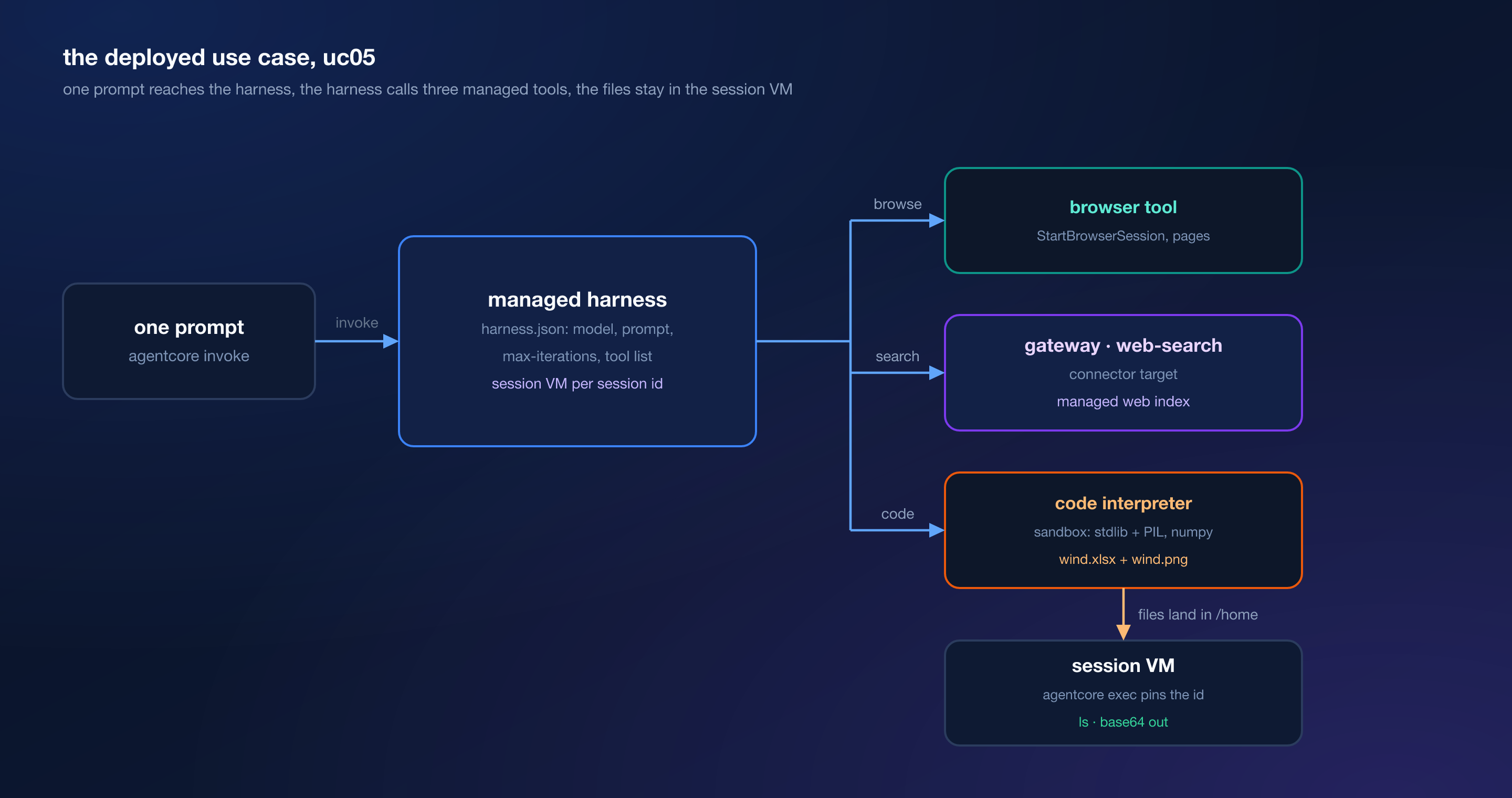
one Amazon Bedrock AgentCore harness, one prompt, three managed tools. One
invocation runs search, browser and code interpreter in the same session, leaves
wind.xlsx and wind.png in the session’s VM, keeps the conversation when the
model is swapped mid-session, and exports to a runtime agent that behaves the same.
Every number below was measured in one account, us-east-1.
The use case#
An analyst asks a question no single page answers: how wind generation in 2024 splits across the five largest producers. Answering needs a current web index, a way to open a source and read it, and a sandbox that turns five numbers into shares, a chart and a file. The deliverable is a market note plus two artifacts, produced by one prompt.
What AgentCore does here#
Four capabilities carry the use case.
- Harness: the managed agent loop. The repository ships a
harness.json— model, prompt, tool list, iteration and timeout limits — and no Python loop at all. - Browser: managed sessions for opening pages and reading their content, invoked directly by the harness.
- Code Interpreter: the sandbox that runs code and holds the files the agent writes.
- Observability, lightly: every tool call lands as a span in the
aws/spanslog group, which is where the proof of “search, browse and compute in one prompt” comes from.
Web Search sits outside the core nine: it enters as a gateway connector target the harness sees as one tool.
Requirements#
- Node.js 20 or newer, the AgentCore CLI 0.31.1, AWS CLI 2.x
- A CDK app under
agentcore/cdk/withnode_modulesinstalled - Bedrock access to
deepseek.v3.2andamazon.nova-lite-v1:0 - Region
us-east-1for everything — the web-search connector only exists there - Session ids of at least 33 characters for harness invocations
The code#
https://github.com/pinxiong/bedrock-agentcore-in-action/tree/master/usecases/05-research-agent
agentcore/agentcore.json— the contract: gateway, web-search target, harness, and the exported runtime agentapp/research/harness.json— the whole agent: model, system prompt, tools, limitsapp/research/system-prompt.md— the same prompt, kept next to the configapp/researchAgent/— the Strands agent generated byagentcore exportevidence/— the captured output this article shows
How it works#
The agent is a file, not a program:
{
  "name": "research",
  "model": {
    "provider": "bedrock",
    "modelId": "deepseek.v3.2",
    "apiFormat": "converse_stream"
  },
  "tools": [
    { "type": "agentcore_browser", "name": "browser" },
    { "type": "agentcore_code_interpreter", "name": "code-interpreter" },
    { "type": "agentcore_gateway", "name": "websearch" }
  ],
  "maxIterations": 30,
  "timeoutSeconds": 900
}
The third tool is the gateway. Web Search is not a harness tool type; it is a connector target on a plain MCP gateway, and the harness reaches it through the gateway tool with no outbound auth, because the gateway itself has none. That one indirection is what puts a managed, region-locked web index behind the same tool-call path as everything else.
The system prompt carries facts the model cannot discover:
Code interpreter sandbox facts: PIL and numpy are installed; pandas, openpyxl and
matplotlib are NOT. For a spreadsheet, build the xlsx with the standard-library
zipfile module (an xlsx is a zip of XML: [Content_Types].xml, _rels/.rels,
xl/workbook.xml, xl/_rels/workbook.xml.rels, xl/worksheets/sheet1.xml). For a
chart, draw the PNG with PIL.ImageDraw.
That paragraph is load-bearing. The sandbox genuinely ships no pandas, and an early
diagnostic run where the model “listed” all four packages as missing was fiction —
its executeCode calls had failed and it invented the result. Stating the truth in
the prompt turned six failed calls into files. The session VM is the other half:
files the agent writes stay there, and agentcore exec pinned to the same session
id can inspect and retrieve them.
Deploy it#
Three resources, three lines. The gateway is deliberately minimal — no authorizer, one connector target:
agentcore add gateway --name research-gateway --protocol-type MCP --authorizer-type NONE
agentcore add gateway-target --name websearch --gateway research-gateway \
  --type connector --connector web-search
agentcore add harness --name research --model-provider bedrock --model-id deepseek.v3.2 \
  --api-format converse_stream --tools agentcore_browser,agentcore_code_interpreter \
  --system-prompt "You are a market research analyst..." --max-iterations 30 --timeout 900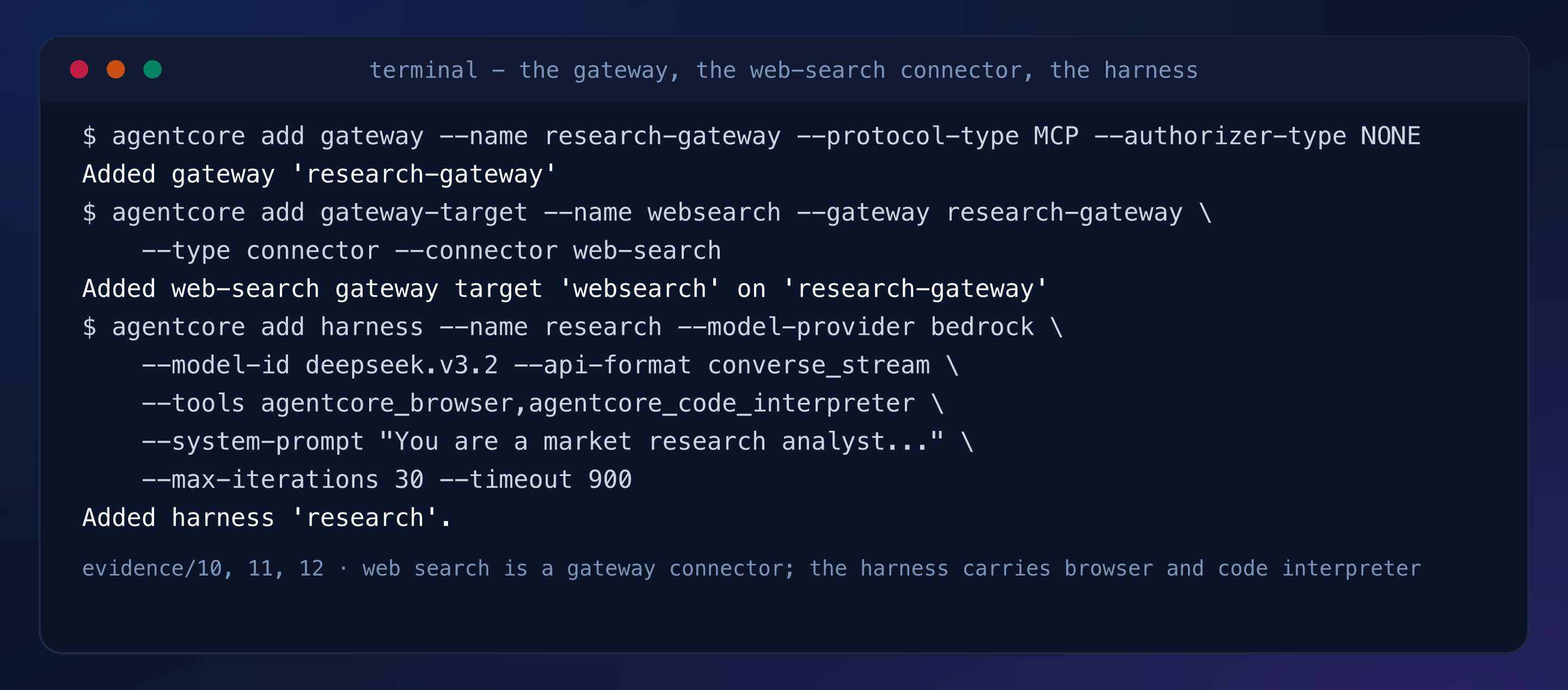
Deploy the stack — gateway, harness, and the runtime the harness runs on:
agentcore deploy -y --target default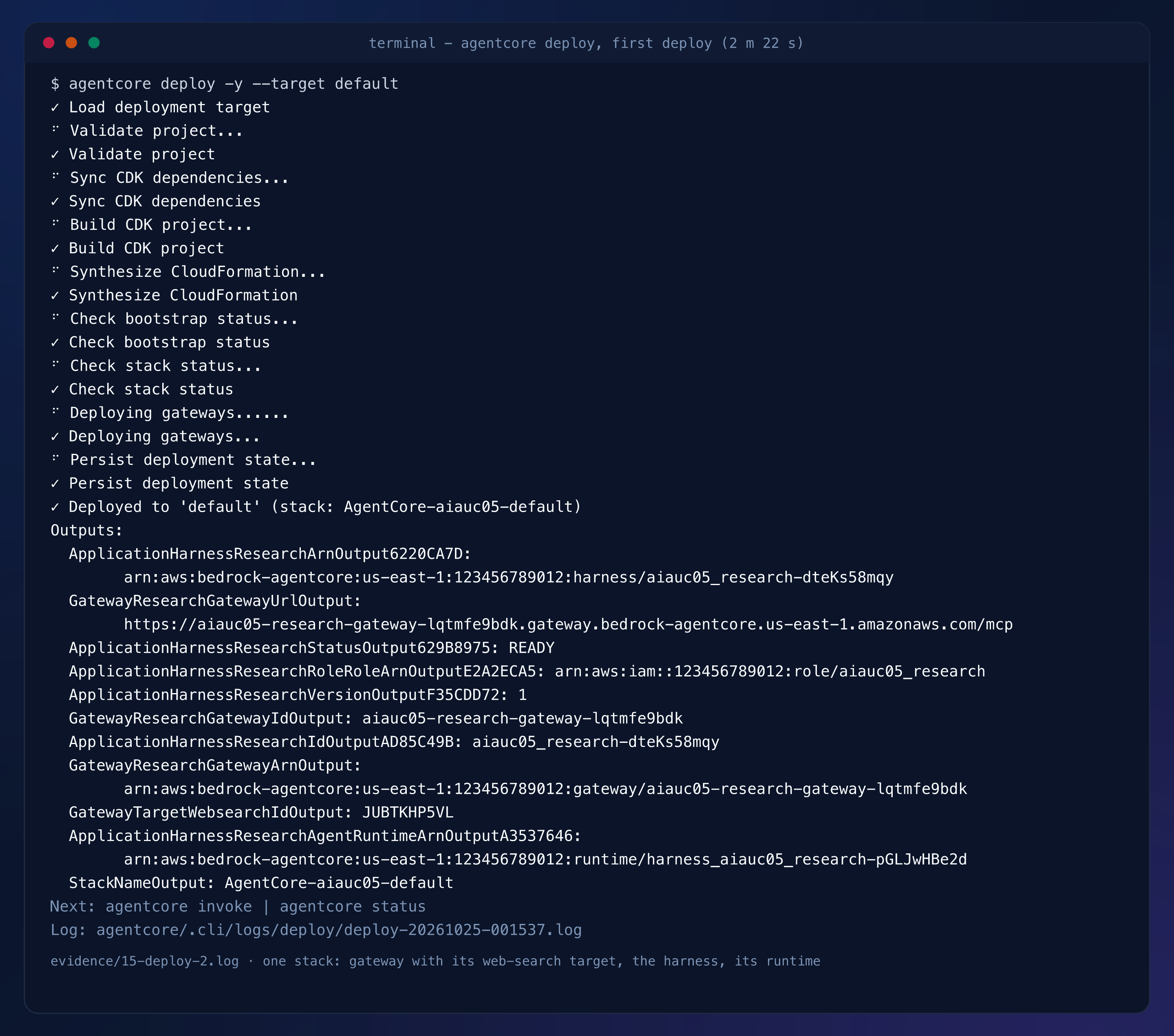
The harness cannot reach the gateway until the gateway has an ARN, so one more tool add and deploy:
agentcore add tool --harness research --type agentcore_gateway --name websearch \
  --gateway research-gateway --outbound-auth none
agentcore deploy -y --target default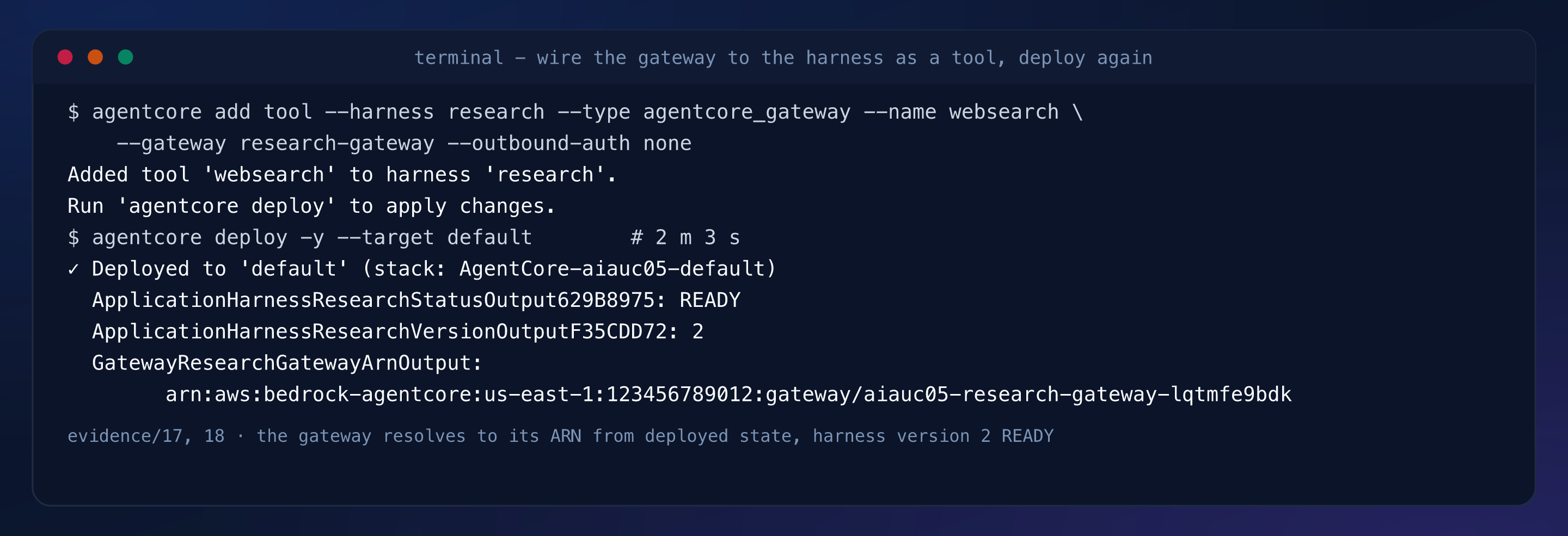
Now the single invocation. The prompt asks for three steps: search 2024 wind generation for five countries, confirm at a source page, compute shares and write two files. It ran 4 minutes 2 seconds:
agentcore invoke --session-id research-session-0004-artifacts-run \
  --prompt "Produce a short market note on wind power. Step 1: use the websearch
  tool... Step 3: ... write two files into the sandbox: wind.xlsx ... and wind.png ..."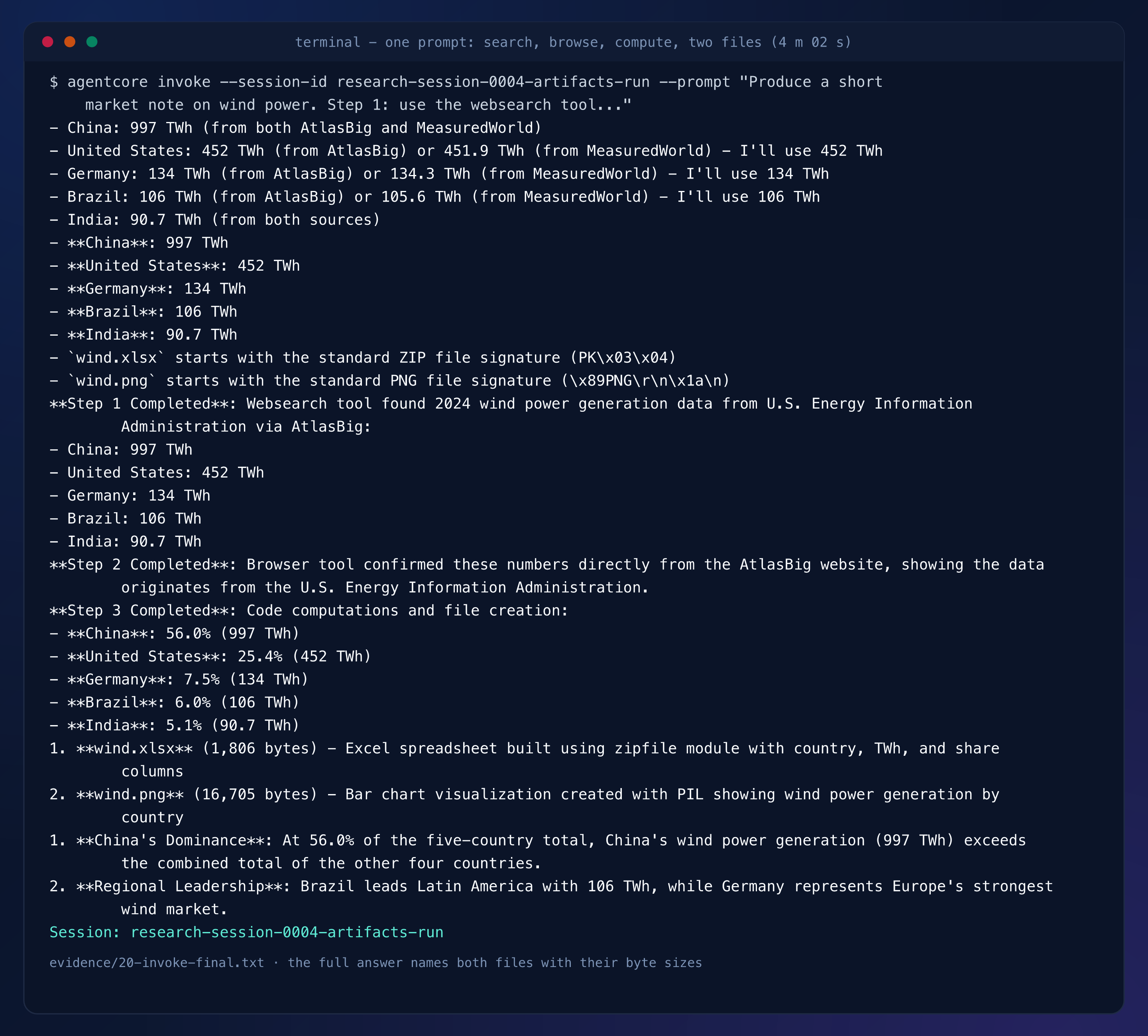
“One prompt drove all three tools” is a span query away. AgentCore observability
writes spans to the aws/spans log group; filtering the session is two native
commands:
aws logs filter-log-events --region us-east-1 --log-group-name aws/spans \
  --start-time <epoch-ms> --query 'events[].message' --output json \
  | jq -r '.[] | fromjson? | select(."attributes"."session.id"? == "research-session-0004-artifacts-run")
    | [.name, ."attributes"."gen_ai.tool.status"] | @tsv'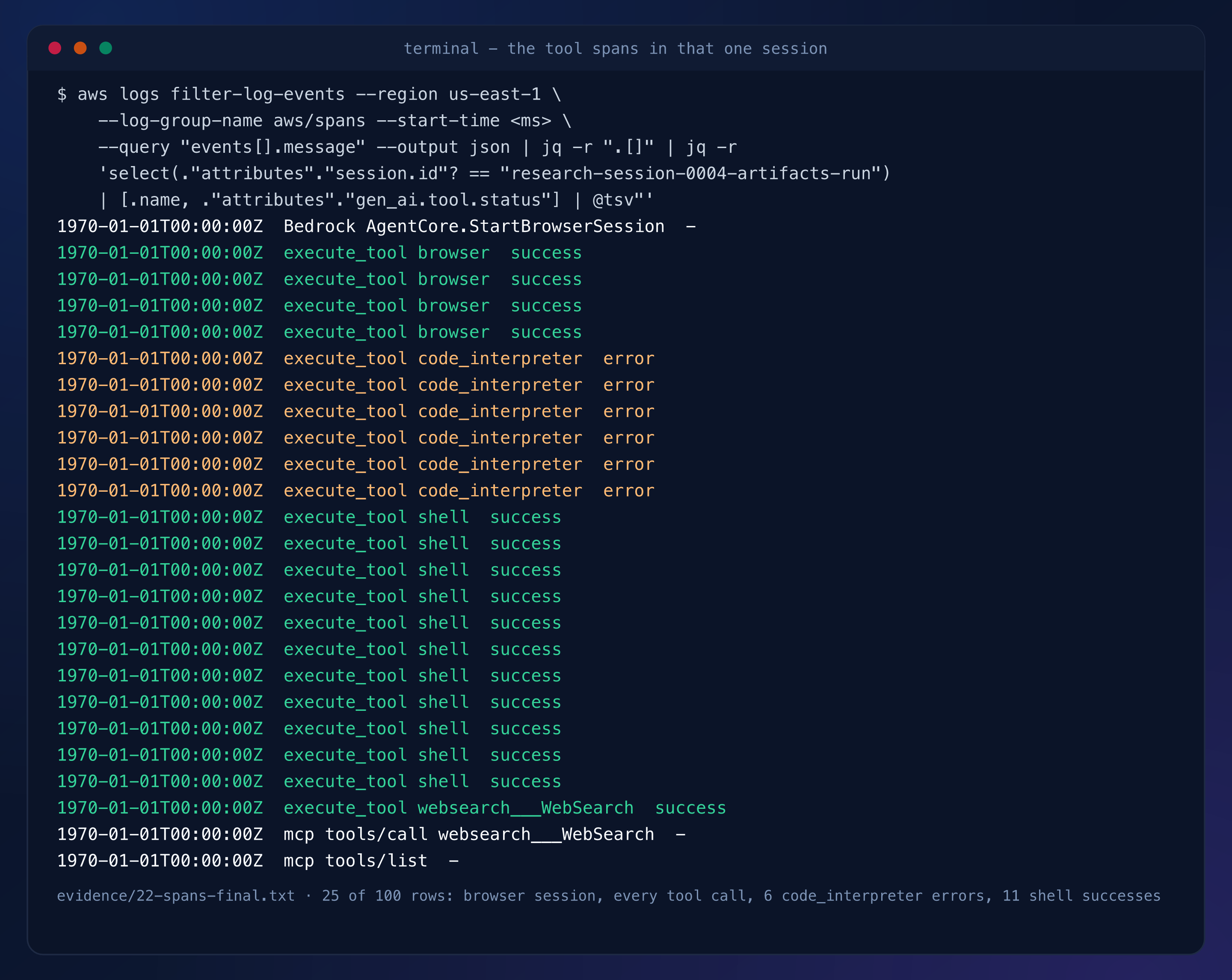
One websearch___WebSearch success, four successful browser calls — after
Bedrock AgentCore.StartBrowserSession — and the compute work. The six errored
code_interpreter spans are DeepSeek’s function-call format failing to nest the
tool’s dictionary input; the agent fell back to the sandbox’s shell action, which
succeeded eleven times and wrote the files. The artifacts are real bytes, verified
from inside the same session:
agentcore exec --harness research --session-id research-session-0004-artifacts-run \
  -- sh -c "python3 -c \"import zipfile; z=zipfile.ZipFile('/home/wind.xlsx');
  print(z.testzip() is None, z.namelist())\" ..."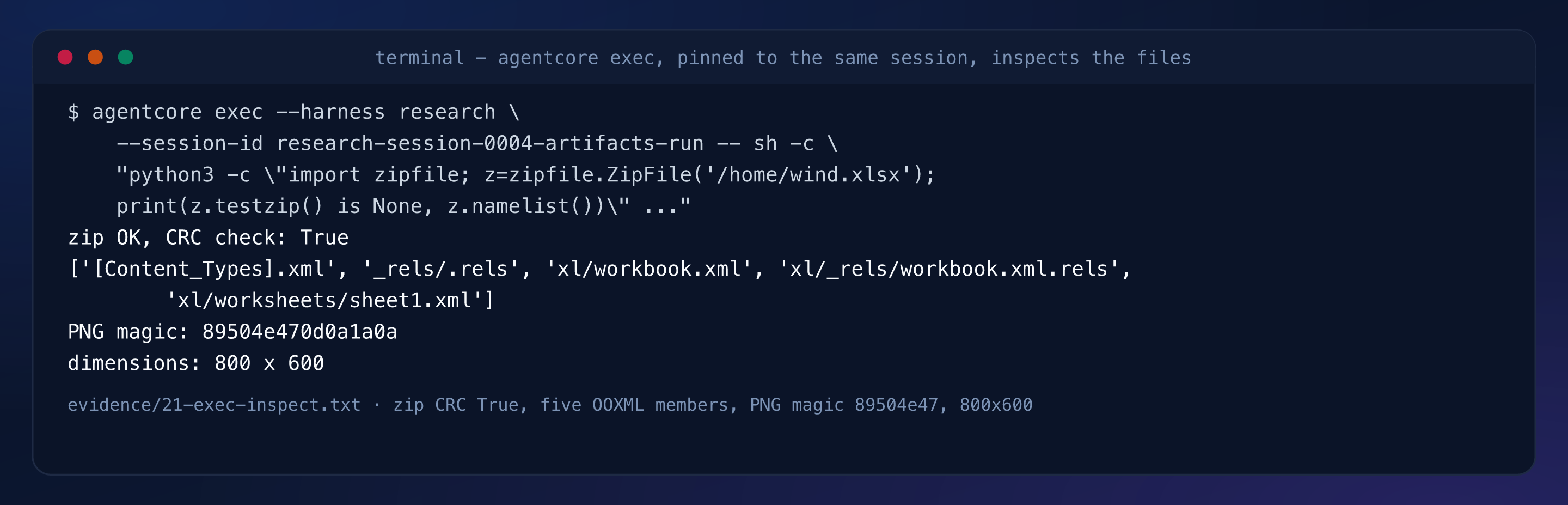
The spreadsheet passes a CRC check as a real OOXML package; the PNG carries the
correct magic and dimensions. Both files come out of the sandbox with base64.
The model switch is a config edit and a deploy. Change modelId in
app/research/harness.json from deepseek.v3.2 to amazon.nova-lite-v1:0, deploy —
the harness moves to version 5 in 1 minute 40 seconds — and ask the same session a
question only its history can answer:
agentcore deploy -y --target default
agentcore invoke --session-id research-session-0004-artifacts-run \
  --prompt "Same session, new model. From the table you built earlier in this
  conversation: which country had the smallest share, what was the number, and what
  were the file names you wrote? Answer without searching or browsing again."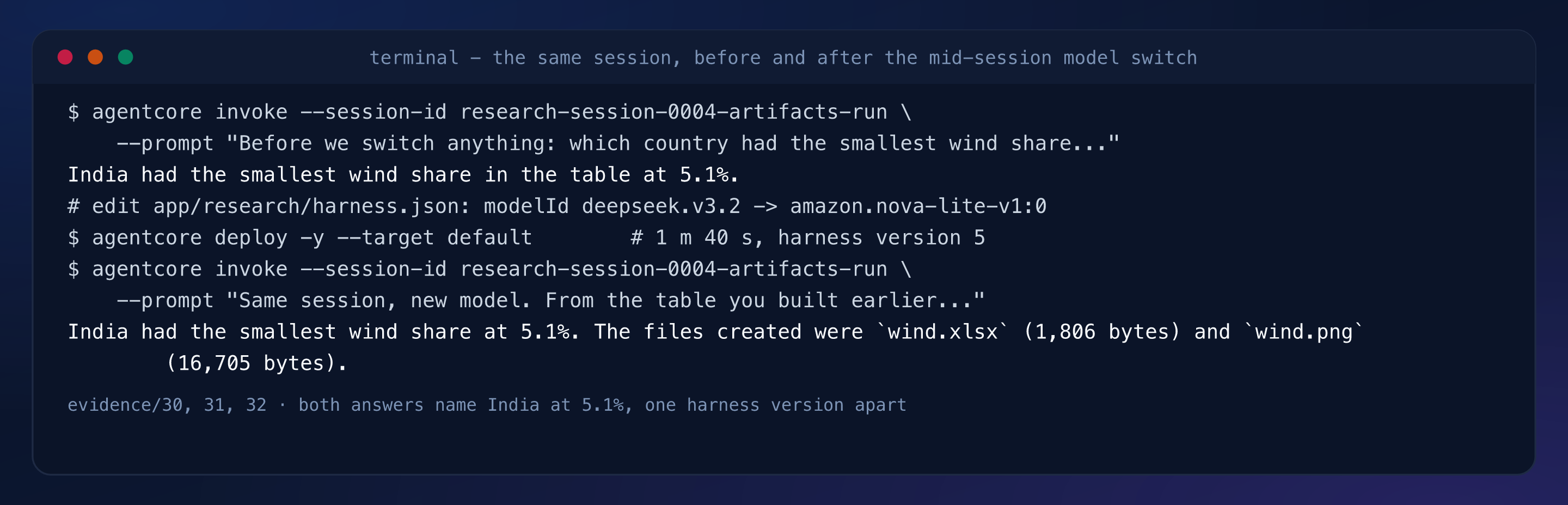
Identical numbers, including the byte sizes it had reported one model earlier. The spans show why the answer is memory, not a re-run: the two chat spans share the session, and no tool span follows the switch:
aws logs filter-log-events --region us-east-1 --log-group-name aws/spans \
  --start-time <epoch-ms> --query 'events[].message' --output json \
  | jq -r '.[] | fromjson? | select(."attributes"."session.id"? == "research-session-0004-artifacts-run") | .name'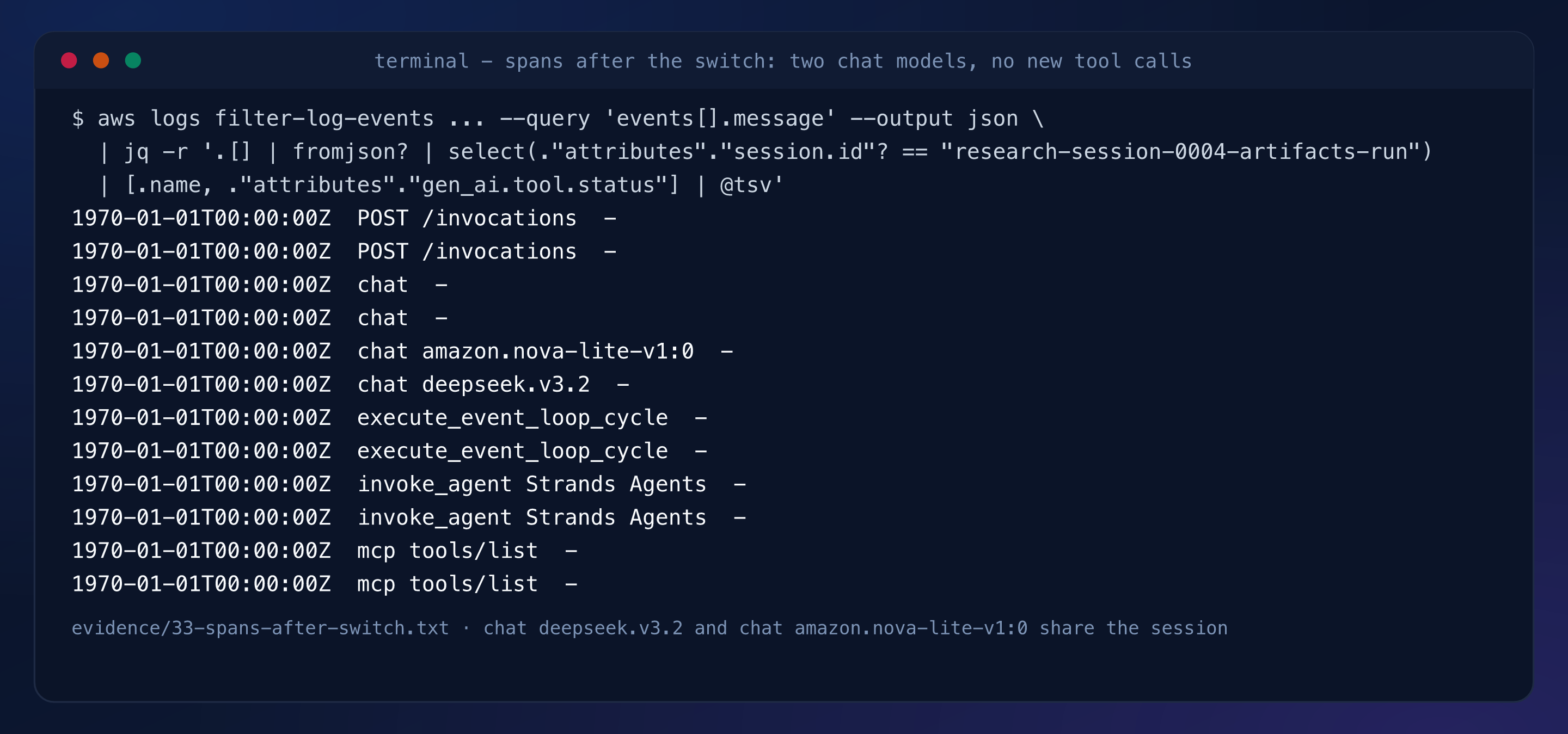
The harness is portable. agentcore export turns the configuration into a Strands
agent — code this time, app/researchAgent/ — which deploys to Runtime:
agentcore export harness --name research --target-agent-name researchAgent
agentcore deploy -y --target default
agentcore invoke --runtime researchAgent --session-id research-session-0007-export-same \
  --prompt "Search the web for the AtlasBig page 'wind power generation by country'
  ... Compute each country's share of the five-country total with the code
  interpreter and report the five shares to one decimal."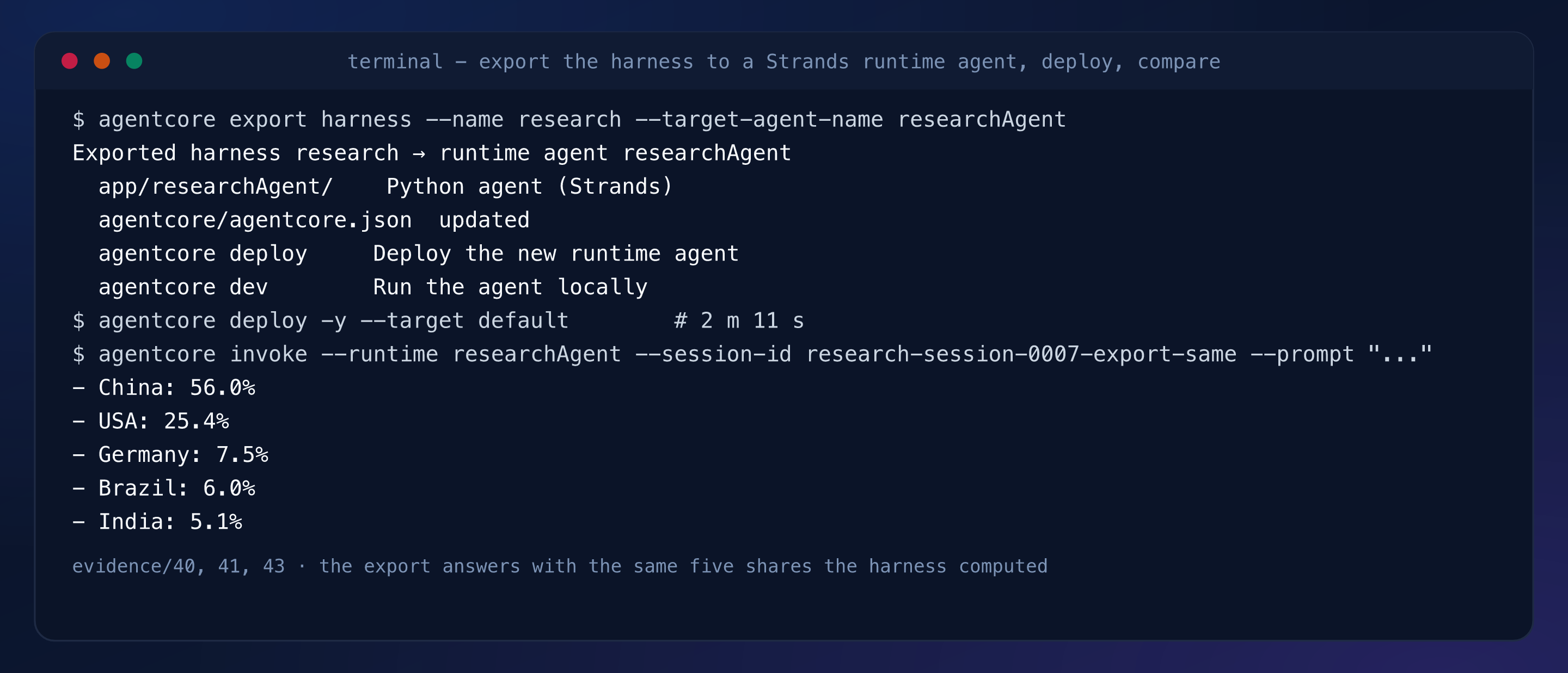
Same five shares the harness computed, from the same tool wiring. One export note matters: the browser tool is excluded from the CodeZip export, because its Playwright driver needs a container build.
Teardown is two stages; only both leave the account clean:
agentcore remove all -y
agentcore deploy -y --target default
agentcore status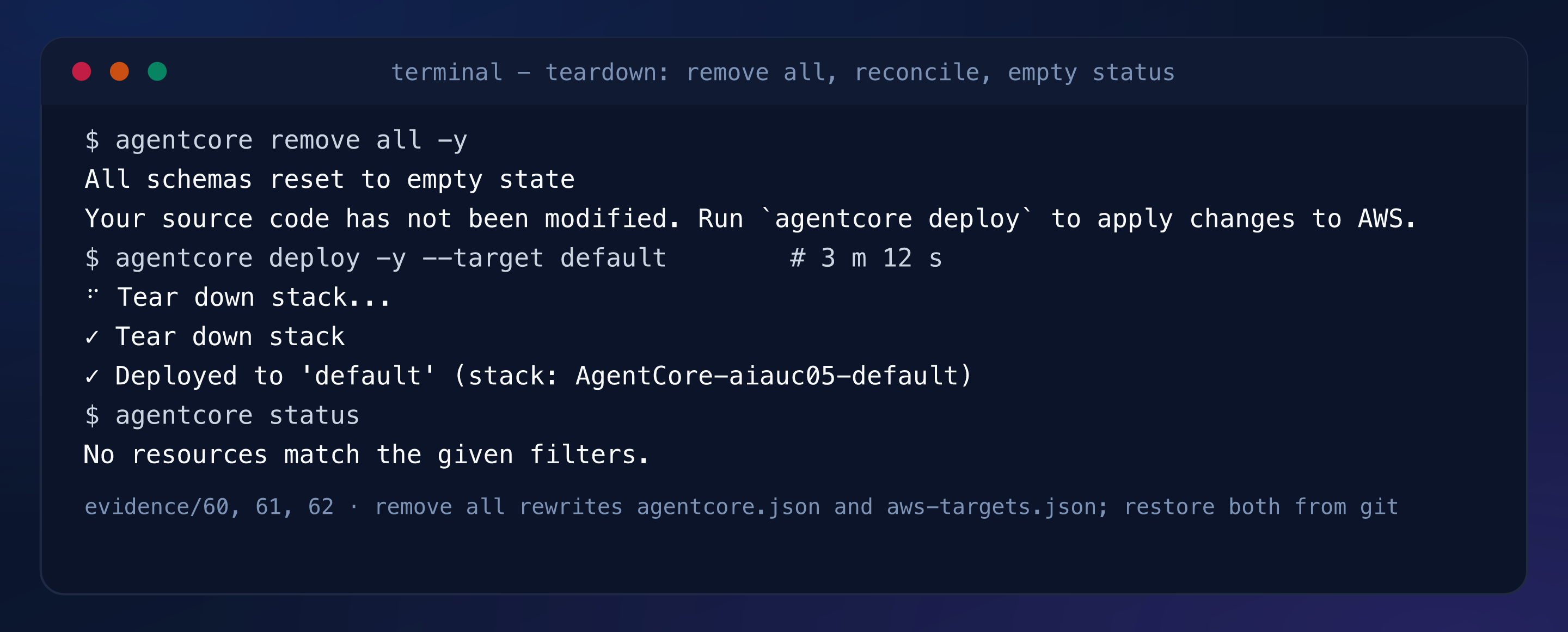
remove all -y rewrites agentcore/agentcore.json and empties
agentcore/aws-targets.json; restore both from git before deploying again. The CDK
bootstrap stack and its asset bucket survive on purpose — account-level, reused
across this series.
What it produced#
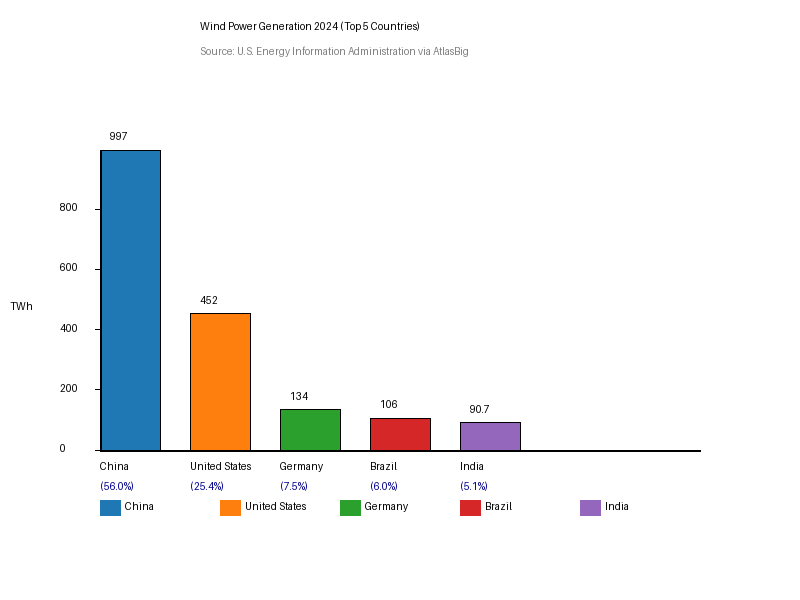
That chart is the wind.png retrieved from the session VM, byte for byte — 16,705
bytes, 800 by 600, drawn by the agent from numbers it searched for, confirmed at an
AtlasBig page citing the U.S. Energy Information Administration, and computed to
shares with the code interpreter. Its spreadsheet companion passes zipfile’s CRC
check with exactly the five OOXML members listed in the prompt. A tag listing of
everything tagged Project=agentcore-in-action showed ten resources, every one
UseCase=05, nothing from any other use case.
Troubleshooting#
- Session ids shorter than 33 characters fail with a 400 on
runtimeSessionId. - The first diagnostic invoke reported every Python package missing. Its
executeCodecalls had all failed — DeepSeek’s DSML function-call format does not nest the tool’s dictionary input — and the model invented the result. The shell action of the same tool worked, and a truthful system prompt stopped the guessing. - A contract without a CDK app aborts the first deploy with
CDK project not found.agentcore createonly works in an empty directory; generate in a temp directory, copyagentcore/cdk/in, andnpm installinside it. - CodeZip exports drop the browser tool (Playwright cannot run there); re-export
with
--build Containerif the browser must come along, which needs Docker.
Takeaways#
- A managed harness is a configuration that deploys: model, prompt, tool list and limits in one JSON file, with no agent loop to write, host or patch.
- Web Search rides the gateway as a connector, so one region-locked managed index appears to the agent as an ordinary tool beside browser and code interpreter.
- Artifacts are only provable if you can reach them:
agentcore execpinned to the session id turns “the model said it wrote a file” into a CRC-checked xlsx. - The conversation, not the model, is the session: a mid-session switch from DeepSeek to Nova lost nothing, because the state was never in the model.
agentcore exportis the exit ramp from configuration to code — same tools, same shares, minus the browser until you build a container.